Category map
Competitive 2x2
Calm, human
Watches the driverBacks the driver
Miles
Garmin Dash Cams
Rove
Viofo
Vantrue
BlackVue
Life360
Bouncie
Progressive Snapshot
Loud, spec-driven
Case study
Miles
Miles is a small device and app for families with a new driver. It plugs into almost any car's OBD-II port and turns every trip into something a parent can understand — and talk about.
When we started, parents of new drivers had two options: know nothing, or monitor everything. Dash cams were loud and spec-driven; trackers and insurance apps kept score. Both put parent and teen on opposite sides, and neither made anyone a better driver.
The foundation work settled who Miles is for — the parent who buys it, and the new driver who has to want it too — the one bet (the expert riding shotgun), and the promise everything else answers to: Miles coaches, it doesn't punish.
From there, the brand gave that promise a voice, a palette and an image style that reads calm rather than cautionary. The build carried it into a first-trip journey, prototype tests with real driving scenarios, the Trips screens and a design system.
Below is the real Hub from the engagement — every node and artifact, exactly as we worked from it.
Competitive 2x2
Calm, human
Loud, spec-driven
Parents of new drivers have two options: know nothing, or monitor everything.
Both damage the relationship — one with worry, the other with suspicion — and neither makes the teen a better driver.
If driving data can be turned from a score into a conversation, Miles owns the space between "no idea" and "surveillance": the calm, human corner of the category that nobody currently occupies.
Success looks like families describing Miles as the thing that made the new-driver year less stressful — not as a tracker.
Dash cams (Rove, Vantrue, Viofo) read loud and spec-driven; trackers and insurance apps keep score.
The calm, human corner is open.
Two people, one product — and it has to satisfy both without alienating either.
Buyer: the parent of a newly licensed teen. Account owner and admin. Usually arrives right after something happened — a close call, an insurance quote, the day the license comes through.
Participant: the new driver. Not a subject being watched; a consent-needed participant with their own reason to want this (proving they're careful, keeping costs down, not being blamed).
Not for (yet): fleet managers, insurers, or parents looking for covert tracking.
The Driving Parent
“I want to know they're okay — I don't want to be the one keeping score.”
Account owner and admin. Wants to know the new driver is safe without becoming the person who polices every trip.
The New Driver
“I'm already nervous. I don't need something watching my every move.”
A teen who just got their license. A consent-needed participant, not a subject — with their own reason to want this.
"watching their every move" · "keeping score without keeping score" · "looking for bad things you're doing" · "naggy" · "another always-listening device"
"riding shotgun" · "non-judgey" · "fair" · "private" · "I can be myself" · "looking out for your best interests"
Insight: the product's worth is measured in tone. The same data reads as care or as surveillance depending entirely on how it's said.
Teen driving isn't about control — it's about confidence.
Driving can be less stressful with thoughtful technology. The worst doesn't need to happen, and owning a car doesn't need to be in the dark, burdensome or scary.
Miles coaches, it doesn't punish.
Turns OBD-II trip data into something a parent can act on, without it feeling like surveillance — for both sides.
We believe people will choose Miles when it's framed as the expert riding shotgun, because knowing what's going on can be calm and simple.
The Brand Bet Statement from the Brand Foundation Sprint board (December 22, 2025 – January 2, 2026): the template sentence, filled in live.
The whole board in FigJam
Open in FigmaTurn OBD-II trip data into something a parent can act on, without it feeling like surveillance.
Monitoring becomes trust, for both sides — the parent knows, the new driver isn't policed.
Calm, not alarmist
Say what happened and what to do; never raise the temperature.
Do · Hard stop on Elm St this afternoon. Worth a quick chat?
Don't · WARNING: Harsh braking event detected!
Plainspoken, not technical
No specs in the copy. The car's data is ours to translate.
Do · The battery's getting low — worth a check this week.
Don't · OBD-II PID 0x42 below threshold.
Riding shotgun, not watching
A fair, private helper in the passenger seat — never a scorekeeper.
Do · Here's how this week's drives went.
Don't · 3 violations logged this week.
Starter — a draft to fill in during the sprint, not a delivered decision.
Hero: Teen driving isn't about control — it's about confidence.
Subhead: Miles rides shotgun with your new driver, and tells you what matters — calmly.
Parent CTA: Set up Miles together
Teen-facing line: Proof you've got this.
Trip summary pattern: [What happened] · [Where] · [One thing worth talking about]
Empty state: No trips yet. Miles will be quiet until there's something worth saying.
Use: trips, drives, heads-up, worth a chat, looking out, together, confidence.
Avoid: violations, events, alerts (as a noun for the teen's behavior), score, monitor, track, catch, warning.
From the workshop: the anti-associations were "companion" and "assistant" — Miles is an expert in the passenger seat, not a pet or a butler.
Forest Green
Primary — buttons, links, the brand's voice in color
#32A871Sand
Secondary — warmth, highlights, illustration
#D69545Sky Blue
Tertiary — information, maps, calm accents
#4686C2Neutral
Paper (50) is the light surface; Ink (900) is text and the dark surface
#85827FTypography
Four families, one job each: Acme Gothic Condensed for display, Inter Tight for subheads, Inter for body and UI, Overpass Mono for AI and data. Special Gothic Condensed One stands in for Acme in Google Slides.
Acme Gothic Condensed
Font fileCONDENSED PUNCH FOR HERO HEADLINES
Tall, condensed display face with strong presence. Always use in ALL CAPS. Best for: Hero H1 headlines and bold marketing statements.
Special Gothic Condensed One
Font fileBOLD CONDENSED DISPLAY FOR SLIDES
Strong condensed display face for Google Slides. Great Acme Gothic alternative. Best for: Headlines in Google Slides presentations where Acme Gothic isn't available.
Inter
Google FontsThe quick brown fox jumps over the lazy dog.
Neutral, highly readable sans-serif with a modern UI feel. Best for: Body text, UI copy, buttons, labels, and general-purpose headings.
Inter Tight
Google FontsInter Tight — slightly more compact for headlines.
A tighter-width companion to Inter for punchier display copy. Best for: Hero headlines, section titles, and compact headings.
Overpass Mono
Google FontsMILES AI: JACK TOOK THE RAV4 OUT 12 MINS AGO...
Technical, legible mono face for AI summaries and utility labels. Best for: AI body copy, AI labels, and compact technical metadata.
Headings
H1
Acme Gothic Condensed · 60px / 1 · 600
52px on mobile · No tracking · Uppercase
Page / document title
HEADING 1 — PAGE TITLE
H2
Acme Gothic Condensed · 48px / 1 · 600
40px on mobile · No tracking · Uppercase
Section heading
HEADING 2 — SECTION HEADING
H3
Inter Tight · 22px / 1.25 · 600
20px on mobile · No tracking
Subsection heading
Heading 3 — Subsection heading
Subheadings
H4
Inter · 18px / 1.33 · 500
16px on mobile · Tracking -0.2px
Prominent subheading
H4 — Prominent subheading
Subtitle
Inter · 20px / 1.33 · 400
16px on mobile · Tracking -0.1px
Standard subheading
Subtitle — Standard subheading
Overline
Inter · 14px / 1.5 · 500
13px on mobile · Tracking 0.3px · Uppercase
Optional; section labels / metadata
OVERLINE — SECTION LABEL
Body
Body / L
Inter · 20px / 1.3 · 400
16px on mobile · Tracking -0.2px
Intro / lead text
When your teen starts driving, everything changes. Miles helps families stay calm, informed, and prepared — without constant check-ins or invasive tracking.
Body / M
Inter · 16px / 1.5 · 400
14px on mobile · Tracking -0.015em
Default body text
Body Medium — Default body text
Body / M Bold
Inter · 16px / 1.4 · 600
14px on mobile · Tracking -0.015em
Emphasis within body copy
Body Medium Bold — Emphasis text
Body / S
Inter · 14px / 1.35 · 400
13px on mobile · Tracking -0.005em
Secondary or dense content
Body Small — Secondary or dense content
Body / S Bold
Inter · 14px / 1.35 · 600
13px on mobile · Tracking -0.005em
Emphasis in dense content
Body Small Bold — Compact emphasis
Caption
Inter · 12px / 1.5 · 500
Tracking 0.01em
Captions, helper text, footnotes
Caption — Helper text or footnotes
UI Text
Label
Inter · 13px / 1.33 · 400
11px on mobile · Tracking 0.01em
Form labels, table headers
Label — Form labels and table headers
Button
Inter · 16px / 1.5 · 400
15px on mobile · Tracking -0.015em
Primary button text
Button — Primary CTA
Technical
AI Body
Overpass Mono · 12px / 1.5 · 500
No tracking
AI-generated summaries and system-style assistant copy.
JACK TOOK THE RAV4 OUT 12 MINS AGO, AND THE CIVIC IS PARKED AT HOME.
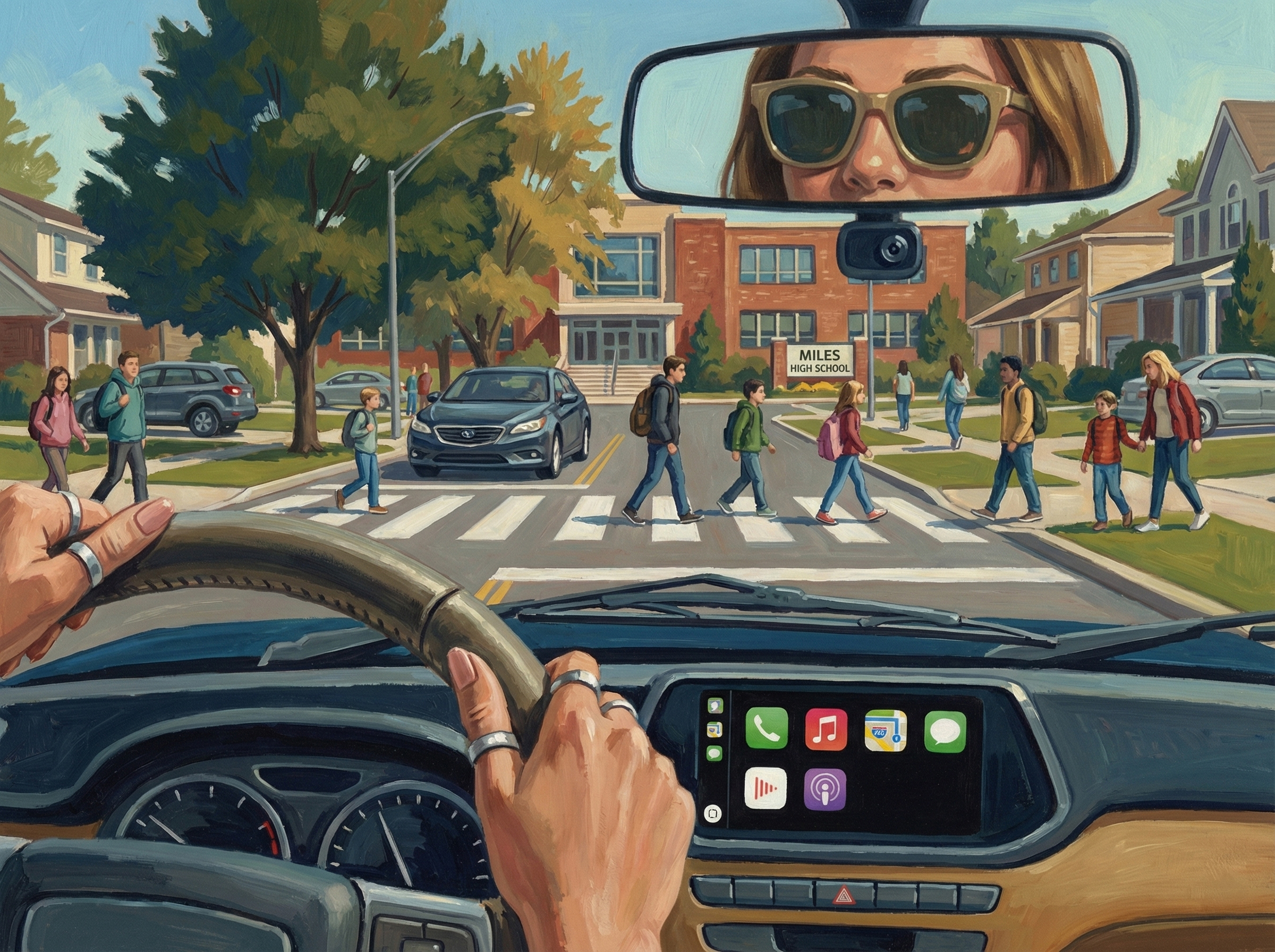
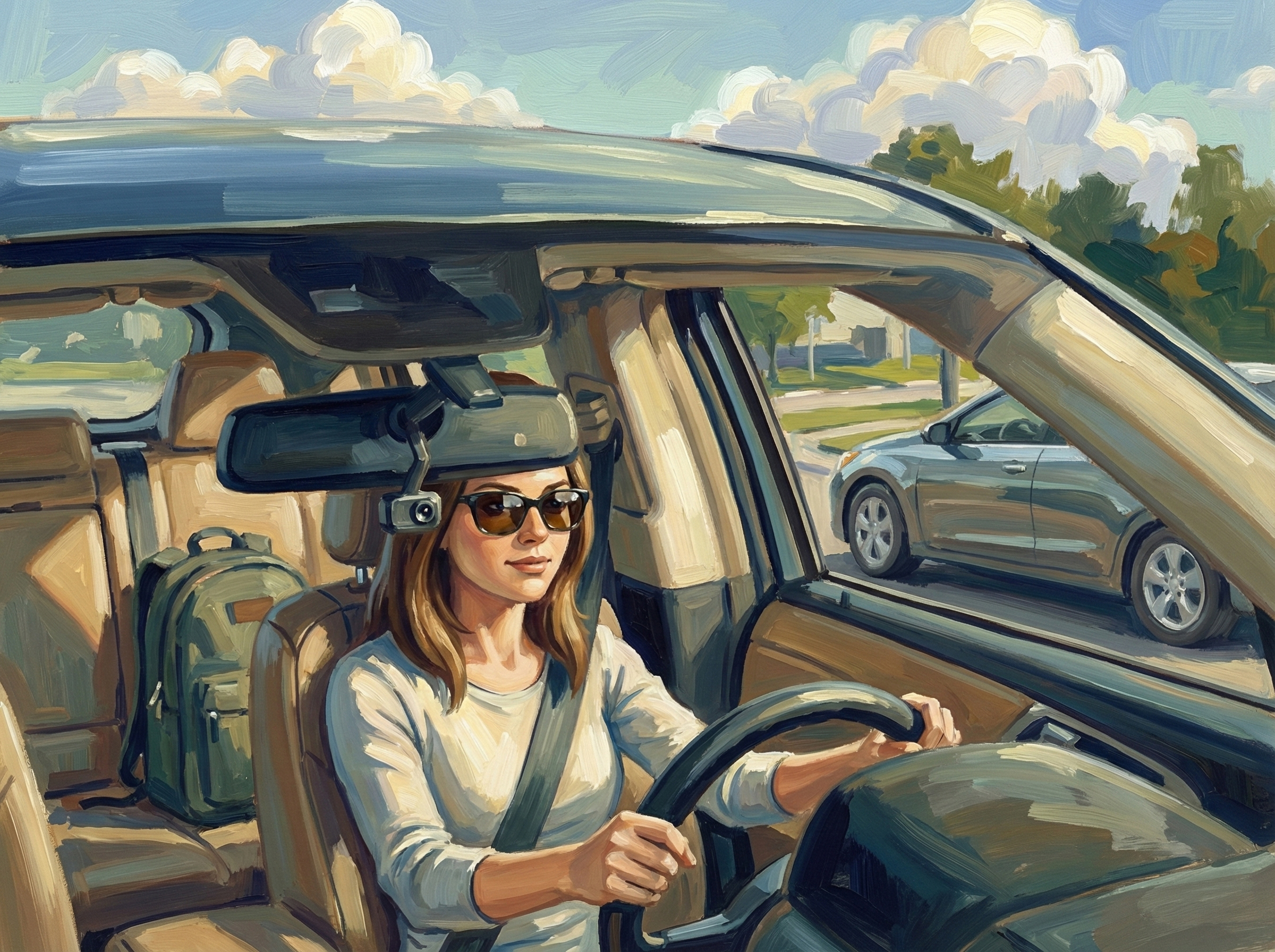
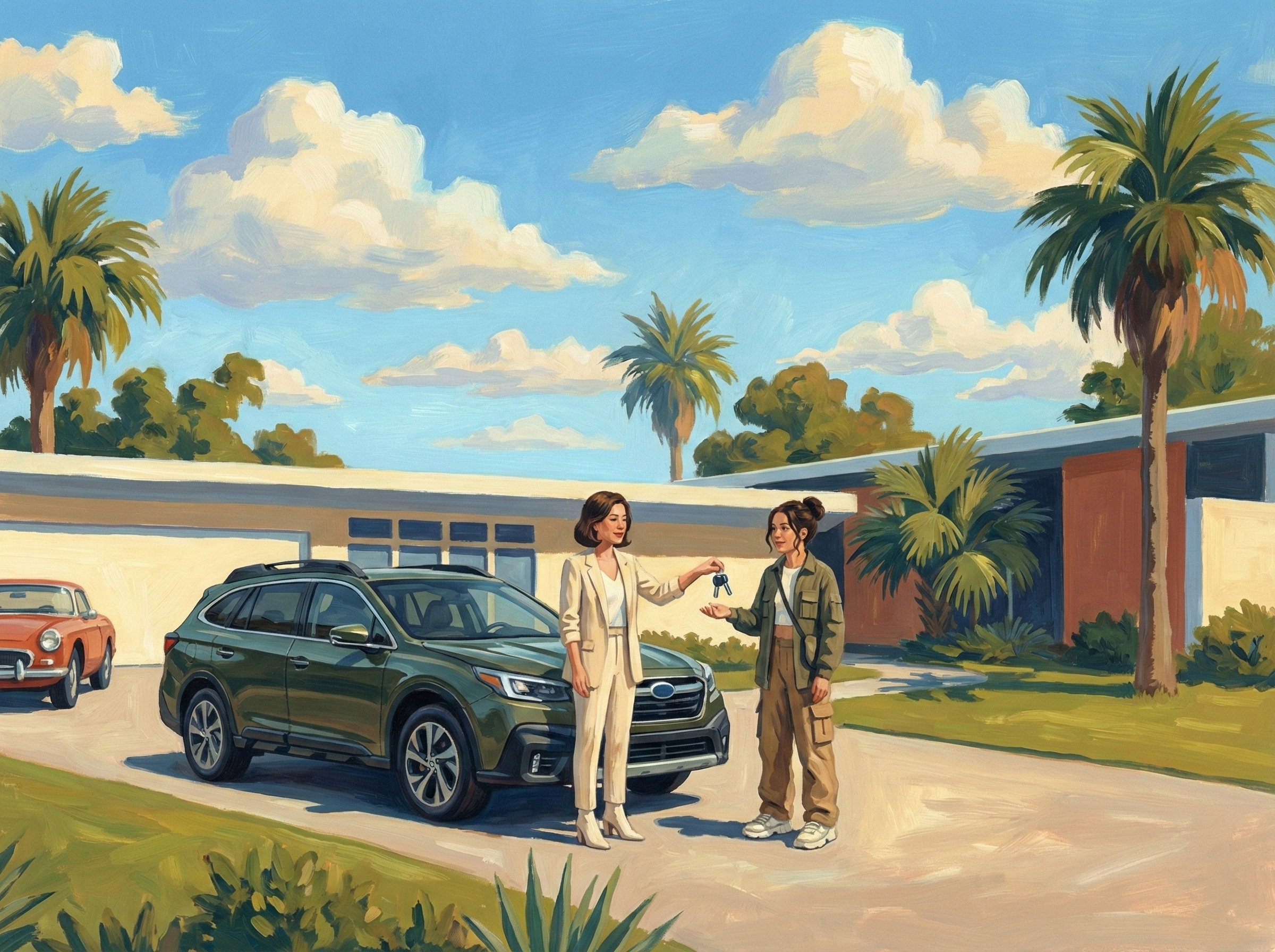
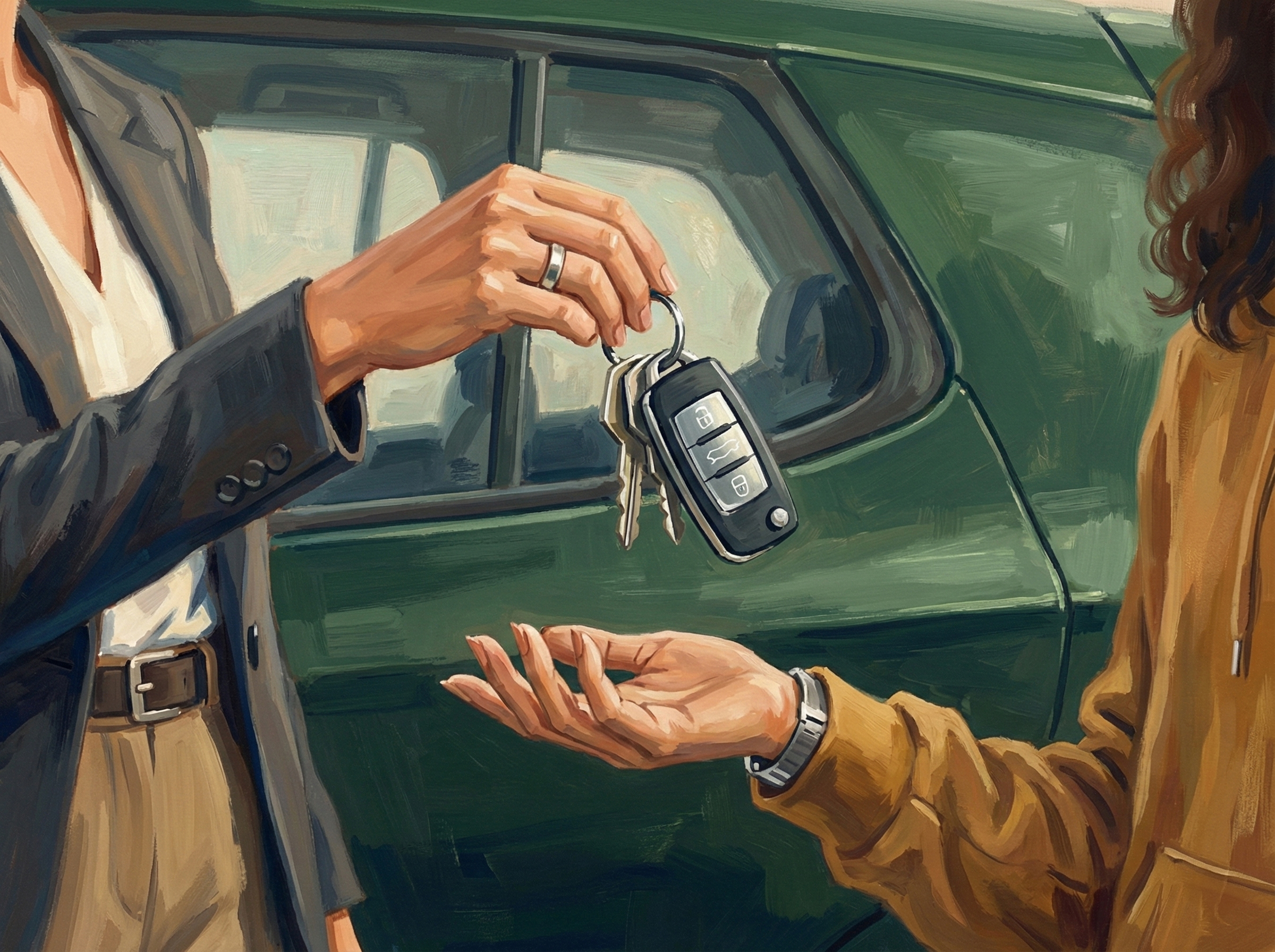
Draw this image in a 50s illustration style (although we're aesthetically making retro references make sure all character clothes and styles are 2025 period appropriate) using a tightly controlled, realism-based approach while allowing the painting process to remain visible. Start with the precise pencil drawing you can see in the uploaded image as reference, then build form with opaque paint—traditionally gouache or oil—laying in mid tones first and developing shadows and highlights in deliberate, confident brushstrokes rather than fully blending them away. Use a natural, realistic yet optimistic color palette, avoiding straight black for shadows. Edges can remain softly handled in skin and fabric, but let brush marks describe form and direction, giving surfaces a subtly textured, hand-painted finish, while reserving cleaner, sharper edges and tighter control for focal points so the illustration still reads clearly when reproduced.
Approaching the high school — safety and normalcy quietly coexist
Teen driving with Miles present — there, not dominating the moment
Parent handing over the keys — an easy handoff of trust
The keys, up close — earned independence
Built live from this project's palette, type, logo and images.

Built for families with new drivers
When your teen starts driving, everything changes. Miles helps families stay calm, informed, and prepared — without constant check-ins or invasive tracking.
Every trip becomes something a parent can understand — and talk about. Like having an expert riding shotgun.
Teen Safety
What parents actually worry about when teens start driving
Most parents don't want more data — they want reassurance.
Insurance
How safe driving data can lower your insurance bill
How driver scores work, and how Miles puts you back in control.
Trust & Independence
How to build trust with your teen — without hovering
Transparency, fairness and restraint create better outcomes for everyone.
Be the first to know when Miles is ready for your family.

User journey
The core product loop: setting up the dongle, driving hands-free, and seeing a trip summary that builds trust.
Setup
Get the dongle installed and connected once, confidently, with minimal effort
Feels · Cautious optimism → mild anxiety
Breaks when · "Am I doing this right?" — OBD port location, compatibility uncertainty
Trigger
Start driving normally without needing to remember to do anything
Feels · Relief (if truly hands-off)
Breaks when · Uncertainty that it actually started logging; the temptation to check the phone
Interpretation
Understand how Miles works, and trust it's accurate and working quietly in the background
Feels · Invisible trust-building (or skepticism if flaky)
Breaks when · Missed trips, split trips, or weird trip boundaries
Action
Turn the drive into a usable artifact (not raw data)
Feels · Curious and interested — surprised by the simplicity
Resolution
See proof it worked, and a helpful summary that feels encouraging
Feels · Satisfaction and confidence
Breaks when · The first result is empty, overly technical, or judgmental — and they churn
Follow Up
Build the habit and deepen setup without regret or overwhelm
Prove that both parents receive, view, and trust a live trip as it happens and after it ends.
Scenario 1 of Miles Proto 4.
Opens from a push notification.
Show the agent interrupting an active trip thread with a driving behavior alert and parent response options.
Scenario 2 of Miles Proto 4.
Opens from a push notification.
Same as speeding but for a deceleration event, proving the mid-trip alert pattern repeats cleanly.
Scenario 3 of Miles Proto 4.
Opens from a push notification.
Establish the baseline reminder pattern: agent surfaces a low-stakes issue, user picks how to handle it, done.
Scenario 4 of Miles Proto 4.
Opens from a push notification.
Prove the full card anatomy works end-to-end: data visualization, coaching layer, action set, and resolution.
Scenario 5 of Miles Proto 4.
Opens from a push notification.
Show the reminder pattern with more action variety (time-based, mileage-based, already done) and the "don't badger" behavior.
Scenario 6 of Miles Proto 4.
Opens from a push notification.
Test the alert → chat flow with a higher-anxiety vehicle issue that needs calm explanation. Surface context on the issue, severity, and cost range. CTAs: get reminder in 2–3 days; send email/documentation to mechanic.
Scenario 10 of Miles Proto 4.
Opens from a push notification.
Prove the agent can be user-initiated from a screen, not just alert-driven, with suggested prompts scoped to a completed trip.
Scenario 11 of Miles Proto 4.
Opens from the Ask Miles screen.
Show braking events as markers on a completed trip route inside the trip summary view.
Scenario 12 of Miles Proto 4.
Opens from the Ask Miles screen.
Show the passive badge entry point for a time-based reminder that's handled in seconds and backgrounded.
Scenario 14 of Miles Proto 4.
Opens from a push notification.
Where the prototype scenarios were planned: reference apps, a row of steps and open questions per scenario, and the flows sketched out.
The whole board in FigJam
Open in FigmaScreens
Trips List
The list of trips, and the entry to filtering. Already effective.
Open in FigmaTrips Filter
Filter by driver, vehicle and date range. The open question this cycle: the controls may be too crude.
Open in FigmaTrip Detail
The map and the way the route is shown and navigated are the favourite part; the content is good to go.
Open in FigmaScreens
Dashboard
The map, a coaching card from Miles, and each vehicle at a glance.
Open in FigmaAsk Miles
Opened from the Ask Miles badge: a greeting and suggested prompts.
Open in FigmaAction card
Miles answers with an action card the parent can act on in place.
Open in FigmaColor primitives from the MILES-UI Figma file (Primitives frame, 232:932), named after its variables: https://www.figma.com/design/gmbbHEuKytveyy1lENPfK2/MILES-UI-260506?node-id=232-932
gray-0#FFFFFFgray-50#F7F6F2gray-100#EBE9E6gray-200#DBDAD7gray-300#C7C5C3gray-400#A3A19Egray-500#85827Fgray-600#696764gray-700#4D4B49gray-800#363432gray-900#242322gray-950#030712gray-1000#000000green-50#F2F9F5green-100#E5F4EBgreen-200#BCE8D3green-300#8DD5B3green-400#5EBE91green-500#32A871green-600#309061green-700#2F7852green-800#2D6041green-900#1F2420green-950#181A17blue-50#EBF1F5blue-100#DEF2FEblue-200#B8E4FFblue-300#73CCFFblue-400#42BAFFblue-500#00A2FFblue-600#008CE5blue-700#1571ADblue-800#285C7Fblue-900#16364Cblue-950#122026red-50#FFECE4red-100#FFDCCBred-200#FFB899red-300#FF9466red-400#FE7133red-500#FE4D00red-600#CD3D00red-700#982E01red-800#661F00red-900#330F00red-950#240B00yellow-50#F5F2EDyellow-100#FAE9CDyellow-200#FFDB99yellow-300#FCC76Ayellow-400#FFB83Dyellow-500#FFA710yellow-600#E5900Cyellow-700#C47509yellow-800#854F05yellow-900#5C390Fyellow-950#1F180Bfont-family-display'Acme Gothic Condensed', sans-seriffont-family-tight'Inter Tight', 'Inter', ui-sans-serif, system-uifont-family-sans'Inter', ui-sans-serif, system-uifont-family-mono'Overpass Mono', ui-monospaceFigma
The tokens the app is built from, published in the MILES-UI Figma so engineering can pull styles and components straight in.

Miles design tokens: colors in light and dark, primitives, spacing, border radius and the type scale.
Open in FigmaYour project
Every project gets a Hub like this one — it fills in sprint by sprint.
Get started